
Complete early desks without rushing by separating the written rule, object groups, container labels, and recovery tools.
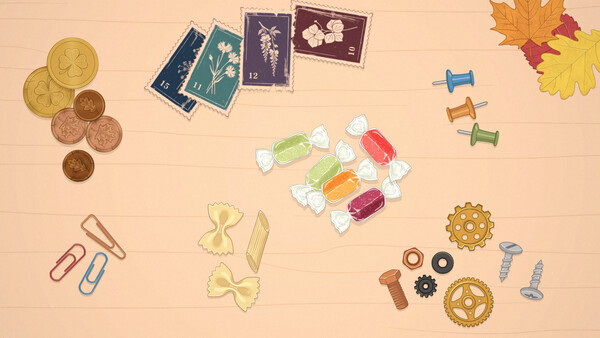
Read the client's note first, identify the active rule, then create small groups before committing the desk to boxes or rows. The game has no timer or score, so speed is not the success condition. A clean beginner route is to understand what this order wants, expose every object, move the work area to a comfortable position, and then place confirmed matches.
1. Separate the instruction from the clutter
Do not assume every order is “sort by color.” The full version includes standard container sorting, knolling orders that ask for neat rows, and jigsaw orders that rebuild torn or broken items. Read the note and inspect the labels before moving a large group. If the desk asks for a photographed arrangement, filling boxes is the wrong workflow even though the objects are sortable.
2. Make only confirmed groups
For a normal sorting order, move two or three obvious matches next to each other. The release build lets nearby items settle into a pile; after that, the pile can be picked up and placed as one unit. Keep uncertain pieces separate until their label or relationship is clear. This reduces repeated drags without turning one wrong assumption into a large mixed pile.
Boxes accept a complete matching pile. Drop it over the correct box and the release notes say the group goes in together. If a piece lands near a pile, damped inertia should keep it closer to the intended area than in the old demo.
3. Move the interface to your hand
Drag a box by its label to place it where repeated movement is comfortable. The developer also says the whole row can be pulled closer to what remains on the desk. This matters on large orders: reduce cursor travel before processing dozens of pieces instead of compensating by rushing.
4. Recover a buried item
If the final piece appears missing, pause and use Spread Out. It separates the remaining desk contents so an overlapped object becomes visible. Do this before reporting a broken order. If the object is still absent or the order cannot complete in the current full version, take a screenshot and post the order details in the official discussions.
After completion, the game presents a summary and an optional replay. Continue to piles and Spread Out for hand-saving controls or order types when the next desk changes the rule.
Sources
QUICK ANSWERS
Questions players ask next
Can I fail an order in The Sorting Bureau?
The official store says there are no wrong answers or penalties, and the launch post says there is no score or timer. Follow the visible rule and use recovery controls if an object is hidden.
What should I do when I cannot see the last item?
Open the pause menu and use Spread Out. The full-version notes say it separates what remains on the table so a buried object becomes visible.
Can I move the sorting boxes?
Yes. The full-version notes say to drag a box by its label; the whole row can also be moved closer to the remaining objects.
HELP SHAPE THE NEXT UPDATE
Missing an answer—or found something outdated?
Send the exact game problem, platform, and version. Corrections are reviewed before expansion requests.