
GAME TOPIC
Stack Haven — Demo, Release Status, and Official Overview
Stack Haven is an unreleased Windows card-stacking cultivation game with a playable demo and no announced full-release date.
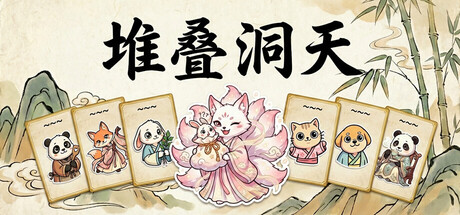
EXPLORE THIS GAME
Overview and every live, source-checked section.
Introduction, guides, reviews, updates, and support appear here only when the topic has real content for them.
GAME INTRODUCTION
What to know before you play
Stack Haven is a single-player card-stacking cultivation game from Zizai Games. A Windows demo is available on Steam, but the full game does not have an announced release date as of August 22, 2026.
Current availability
| Detail | Official status |
|---|---|
| Full game | Not released; no date announced |
| Demo | Available on Steam |
| Platform | Windows PC |
| Developer and publisher | Zizai Games |
| Modes | Single-player |
| Price | Not announced |
How the card system works
The official description gives several concrete stacking examples. Place a sprite with a tree to gather wood, or with a stone pile to mine stone. A sprite, a meditation cushion and Spirit Stones begin cultivation. Spirit herbs combined with an alchemy furnace refine pills.
These examples explain the basic interaction model. They do not establish a complete recipe list or the best opening layout for the current demo.
Automation and spirit creatures
Magnetic Channels connect production steps. The developer describes chains that can run from farming and cooking through alchemy and artifact crafting. The official page does not publish fixed production ratios, so this overview does not rank channel layouts.
Spirit creatures can work, carry traits and develop job preferences. The store also describes breeding mythical creatures, wandering spirits, letters, revival and Merit earned through happiness. Availability can differ between the current demo and the eventual full game.
Current coverage
The previous “first automation guide” has been withdrawn. It repeated the official stacking examples and then asked readers to document the missing results, rather than providing a tested demo route. A new demo guide will require actual current-build steps and screenshots.
Sources & evidenceOpen the references used for this page
OFFICIAL SOURCE MEDIA
See the loop—not another copy of the cover.
Each image comes from a publisher or platform-holder source and is selected to explain a different part of the game.
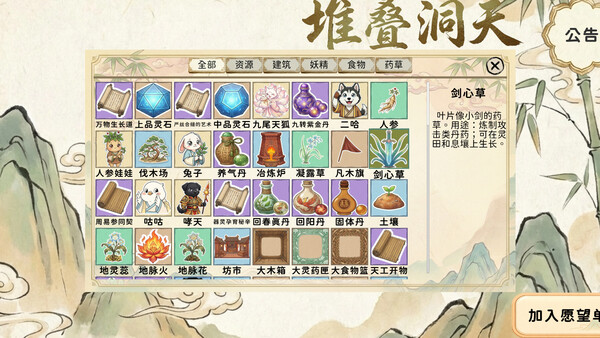
The official gallery shows the card-based settlement board and spirit-creature workers.Official media · source listed with the page evidence
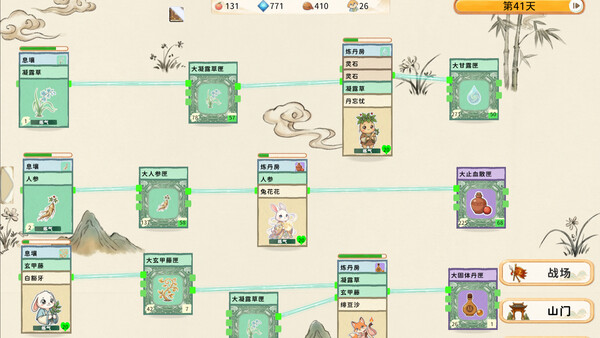
Production chains can connect gathering, cooking, alchemy and artifact crafting.Official media · source listed with the page evidence

Spirit animals have jobs and traits within the cultivation and settlement systems.Official media · source listed with the page evidence
OFFICIAL VIDEO
See the game in motion.
This developer or storefront-listed media shows the current game. It is source material, not independent review footage.
YOUTUBE & COMMUNITY
Go to the source when the answer is still moving.
Official channels establish announcements. Forum threads show current player problems and reports—not developer-confirmed mechanics.
HELP MAINTAIN THIS TOPIC
Ask for coverage—or report something outdated.
Send the game, platform, version, and exact question. Reader feedback guides the next verified page; it is not counted as a player review.