
Tukoni: Forest Keepers release day
Tukoni: Forest Keepers Release-Day Guide — Notebook and Puzzles
A practical launch checklist for recording puzzle clues, inventory combinations, and controller issues in the August 17 Steam build.

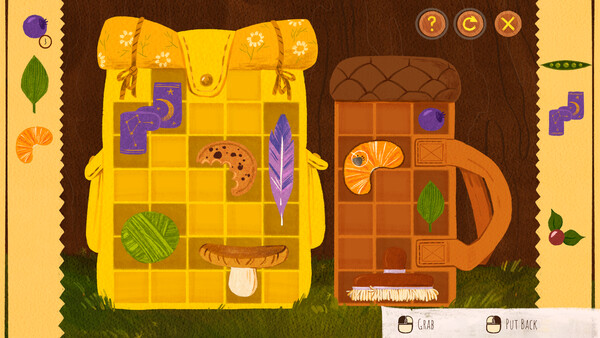
This Tukoni: Forest Keepers release-day guide is for the August 17, 2026 Steam build. The game is a puzzle adventure with a Notebook, handcrafted locations, item combinations, herbs, tea recipes, and mini-games. The quickest way to create a reliable walkthrough is to capture the evidence at the moment a puzzle becomes unclear.
The Notebook-first loop
- Read the current Notebook page before clicking every object in the room. Copy the clue wording exactly; a single noun can identify the intended item or location.
- Photograph the room with the important objects visible. Include the inventory bar if an item is already selected.
- Test one item or interaction, then record what changed. If nothing changes, return to the clue rather than trying every item at random.
- When the puzzle advances, save the screenshot and write the trigger in plain language. This gives the next player an answer they can verify.
Tracking herbs and tea recipes
The official Steam description confirms herbs and tea recipes, but it does not publish a complete table. Use the exact in-game ingredient names, not a visual guess based on the art. For each recipe, record the ingredients, the screen or character that revealed it, and the quest or interaction it affects. If a demo guide uses a different name, mark it as an alias until the current build confirms the match.
Avoid publishing a “best tea order” before testing whether the recipe is required by the current quest state. A useful launch note says where the recipe appears, what the game accepts, and whether brewing changes the Notebook or opens a new interaction.
When a controller or inventory action fails
The Steam community contains a recent demo report about an item moving in an unexpected direction when dragged from the backpack with a controller. That is a valuable test case, not a confirmed full-release bug. Record the controller type, Steam Input setting, build number, and whether mouse input works. Then restart the room once and test the same action again before calling it a blocker.
What not to publish yet
Do not turn one demo save, one missed hidden achievement, or one unverified tea combination into a universal solution. The full game is now live, so launch screenshots and a repeatable save-state test should replace demo-only notes as soon as they are available.
Sources
- Tukoni: Forest Keepers on Steam
- Tukoni: Forest Keepers official Steam Community
- Tukoni: Forest Keepers demo on Epic Games Store
Quick answers
What should I do when a Tukoni puzzle will not advance?
Record the room, Notebook clue, visible objects, inventory item, and build number first. Recheck the clue and test one combination at a time before assuming the puzzle is broken.
Are demo puzzle answers safe to use in the full game?
Not automatically. Demo layouts, item names, and triggers can change, so treat a demo answer as a lead until it matches the current Steam build.