
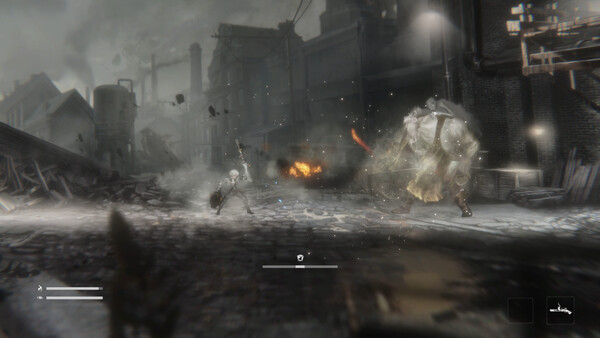
The developer says the reset error is fixed; protect current progress before major updates and avoid deleting unknown local data as a first response.
Patch 0.5.4f10 says the save-reset error is fixed and that save data will no longer be reset. This supersedes the previous 0.5.4 hotfix warning that saves might reset over the next patches. Because the game remains in Early Access, protect valuable progress before a major update without deleting unknown local files.
Understand the timeline
The 0.5.4 AI-removal hotfix warned that save data could reset during subsequent patches. The later 0.5.4f10 announcement explicitly says the error was fixed and future saves will be protected unless a major content update makes incompatibility unavoidable. Both posts are relevant: the first explains why older reports exist, and the second is the current official status.
Safe pre-update routine
- Exit at a normal save point and close the game completely.
- Record the visible progress, chapter, and playtime with a screenshot.
- Let the platform finish synchronization before shutting down or moving devices.
- On Xbox, confirm the console or PC is online because Xbox lists cloud saves and Play Anywhere.
- Install the update, launch once, and verify the existing slot before continuing for a long session.
Steam's feature data checked August 22 did not list Steam Cloud for Vapor World. Do not assume Xbox cloud support also applies to the Steam build. The game is marked save-anytime on Steam, but that capability does not identify the storage location or guarantee cloud synchronization.
If progress appears missing
Do not create a long new session in the empty slot. Close the game and check whether the correct platform account is signed in. On Xbox, allow synchronization to complete and do not blindly choose between local and cloud data when timestamps conflict. On Steam, avoid deleting or replacing local data until the developer confirms the current save location.
The official sources reviewed for this page do not publish a PC save path, file name, or migration tool. Guessing a Unity-style folder could cause more loss, especially after a launch patch. Contact the developer through the official forum or support page with your platform, build, account context, last known progress, and whether the issue occurred before or after 0.5.4f10.
If the title screen itself is blocked, follow the movement and title-screen fix before manipulating data. Check platforms and Game Pass to separate Steam and Xbox cloud capabilities.
Sources & evidenceOpen the references used for this page
QUICK ANSWERS
Questions players ask next
Does Vapor World still reset saves?
Patch 0.5.4f10 says the error that could reset save data was fixed and that save data will no longer be reset. Treat that as the current official status while keeping backups during Early Access.
Does Steam list Vapor World Steam Cloud?
Steam's current category data does not list Steam Cloud for the game. Xbox does list cloud saves and Play Anywhere.
Where is the Vapor World PC save folder?
The official sources checked August 22 do not publish a save path. This guide does not guess one; use platform backup features and developer support for the exact current-build location.
HELP SHAPE THE NEXT UPDATE
Missing an answer—or found something outdated?
Send the exact game problem, platform, and version. Corrections are reviewed before expansion requests.